For Interactive and Passive User Interfaces
Player Licenses for your Kiosk Application
 One Software for all Applications
- Scalable Licensing Model
- Rent, Buy or Software as a Service (SaaS)


Online / Offline Activation
Personal support
CMS Function Included
Rent or buy
The smartPerform licensing model
Daily hire
Short-term hire for sub-letting agents.
Purchase
Purchase model for resellers and end customers. Acquisition
of licences for end users. The licences are operated
within the end user’s network.
Per month (Software as a Service)
Long-term rental model with a minimum term of 1 year and a
notice period of 3 months prior to the end of the contract.
Purchase with subletting rights
Purchase model for subletters. Acquisition of licences for subletting.
For passive systems
smartPerform ShowPlayer
The smartPerform ShowPlayer licence is an operating licence for passive information systems (content players) running the Windows operating system and does not support touch or mouse control. The licence offers an editing mode (CMS) and a presentation mode for kiosk operation.
One licence is required per computer.
Advanced*
- All standard functions
- Multi-Touch / Multi-User
- Logic Designer
- Presentation / Kiosk Mode
- Multi Display
- I/O – for RFID, RS232 control, Object Recognition
Ultimate
- All standard functions
- Multi-Touch / Multi-User
- Logic Designer
- Presentation / Kiosk Mode
- Multi Display
- I/O – for RFID, RS232 control, Object Recognition
- BYOD
- Network – for IP Control, Network Connectivity, AD Registration, Cloud
- Data – Manipulation from XML Daten (PIM, ERP, CRM…)
*Not available as a SaaS version.
For interactive systems
smartPerform InteractivePlayer
smartPerform InteractivePlayer licences are operating licences for PCs and content players running the Windows operating system, and support touch and mouse control. The licence provides an editing mode (CMS) and a presentation mode for kiosk operation.
Basic: Typically used for digital noticeboards, information displays, simple touchscreen applications or reception solutions.
Ultimate: Typically used for showrooms, industrial applications, multi-display set-ups, RFID, building control systems or applications with data and network connectivity.
One licence is required per computer.
Basic
Standard requirements- All standard functions
- All standard interfaces
- Logic Designer Basic
- Presentation/Kiosk mode
Ultimate
Increased demand- All standard functions
- All standard interfaces
- Logic Designer Basic
- Presentation/Kiosk mode
- Multi Display
- I/O – for RFID, RS232 control, Object recognition
- BYOD
- Network – for IP control, network connectivity, AD login, cloud
- Data – Manipulation of XML data (PIM, ERP, CRM…)
Standard Functions for Operating Licenses
Content Management Mode (CMS)
Presentation Mode
Kiosk Mode
Multilingual User Interfaces
Import of popular media formats
Display / networking AV sources (wireless / cable)
Streaming Sources
Networked Collaboration
Windows Applications
Widgets
Automatic Content Maintenance
Content Inspector
Statistics and Log File
For all Screen Resolutions
Presentation Functions
Playlist Functions
Collaboration Functions
Design and Content Management
smartPerform Ultimate Deploy incl. smartCMS
The Deploy licence and smartCMS are your tools for project and content management.
Designer Edition Ultimate Deploy
With the Designer Edition Ultimate Deploy, you can easily roll out all changes across the entire company network. Ultimate Deploy is used to create, maintain and centrally distribute your smartPerform projects. The licence is intended for administration and editorial use and therefore does not require kiosk or presentation mode.
smartCMS
smartCMS enables convenient content management via a web browser – regardless of the operating system. By default, smartCMS is installed directly on the customer’s systems, ensuring that all content remains within the customer’s network. Alternatively, smartPerform can also host smartCMS.
The smartPerform projects themselves (backgrounds, logos, etc.) continue to be managed via the Designer Edition.
Ultimate Deploy
incl. smartCMS- All standard functions
- Multi-Touch / Multi-User
- Logic Designer
- Rights Management
- Presentation / Kiosk Mode
- Distribution and Update of Projects
- Multi Display
- I/O – for RFID, RS232 control, Object Recognition
- BYOD
- Network – for IP Control, Network Connectivity, AD Registration, Cloud
- Data – Manipulation from XML Daten (PIM, ERP, CRM…)
Book a free demo now!

Take the next Step
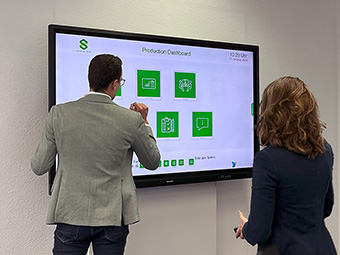
Consulting
Our team will advise you on the use and possibilities, determine your budget requirements or coordinate the next steps with you on your way to your smartPerform application.
This is how you can reach us:
Sales: +49 (0) 7127 20973-00
sales@smartperform.de
Contact

Demo Version
Design and content management with the smartPerform "Designer Edition Advanced".
Start with a sample application suitable for your solution or area of application. The complete application with neutral media content can be individually adapted and expanded and serves as a presentation and template. Request demo version View sample applications
![[object Object]](https://smartperform.de/wp-content/uploads/2024/07/Teaserbild-Webinare-340x255-1.jpg "Teaserbild-Webinare-340x255")
Academy
Our personal training courses provide know-how on the creation and handling of smartPerform user interfaces and their functions.
Webinars provide initial insights into the basics and applications of our smartPerform products.
With the online trainer, you can reach your learning goal quickly - regardless of time, location and device. The learning platform contains all the tools you need for efficient self-study.
Overview
![[object Object]](https://smartperform.de/wp-content/uploads/2024/07/Teaserbild-Dokumente.jpg "Teaserbild-Dokumente")
Documents
Logo files, product and application flyers, quick start guides and our digital manual - you can find them all here.
Documents