• Your cart is empty.

Neuland Wohnungsgesellschaft mbH

A digital customer guidance system to provide a clearer overview in the new customer centre

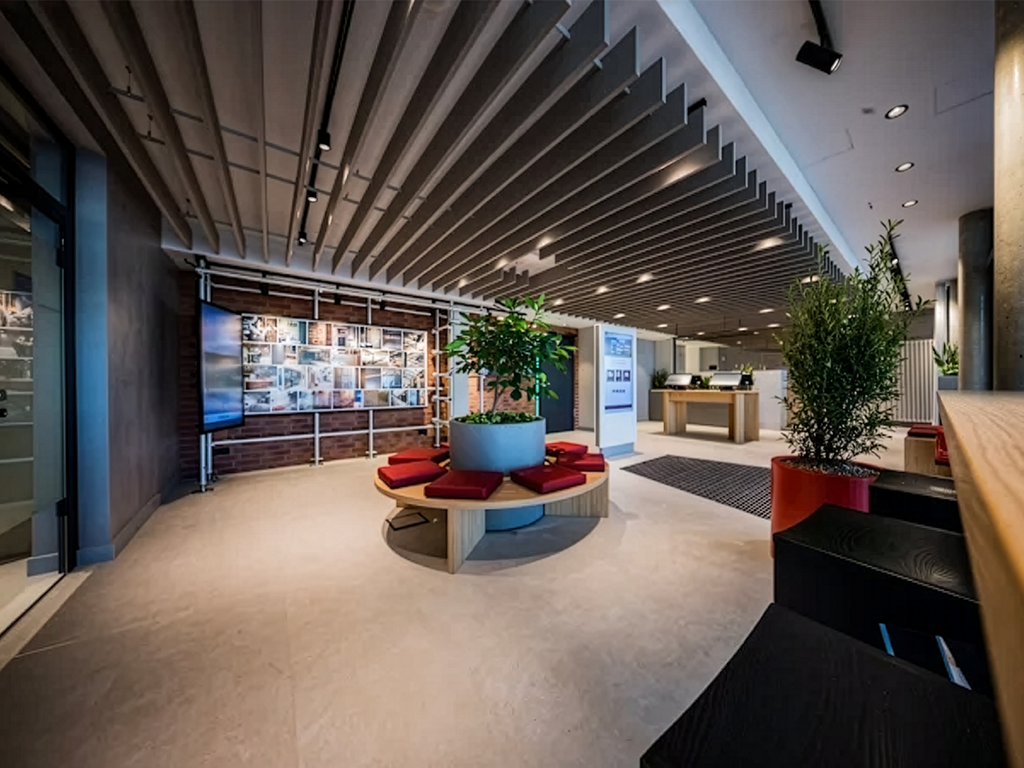
Neuland operates a customer centre where tenants, prospective tenants and other visitors receive personalised advice. With smartPerform, Neuland has introduced a digital guidance and information system that automatically directs visitors to the appropriate contact person, reduces the workload on staff and helps to make the most of waiting times.

The background

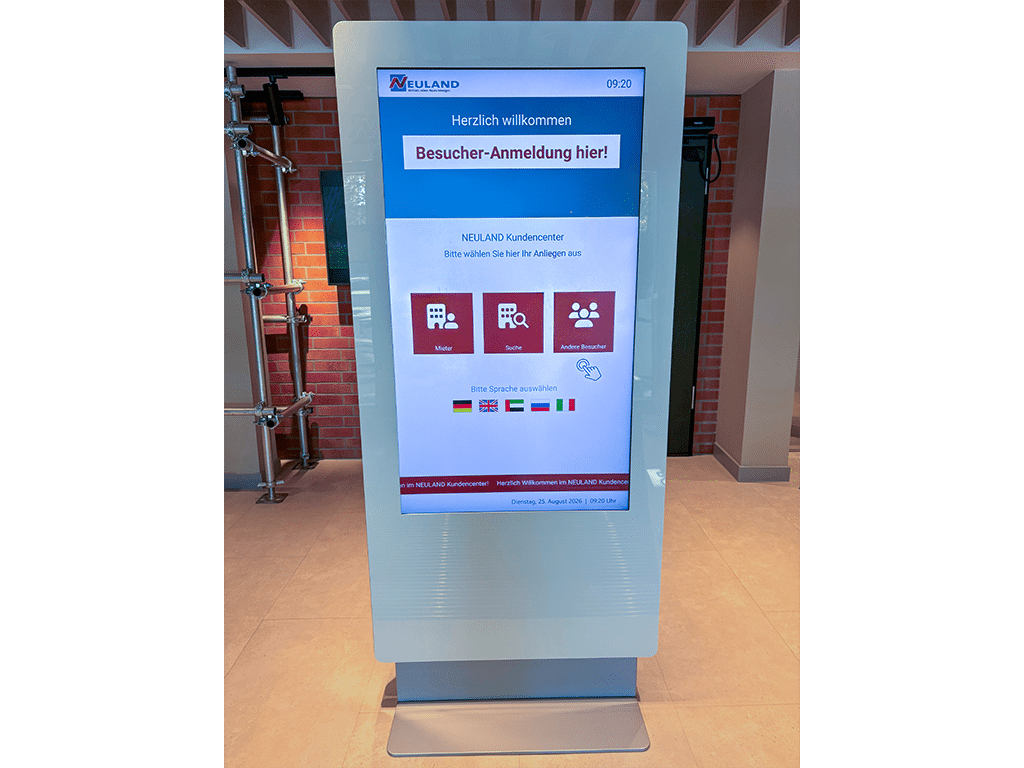
Until now, the Neuland customer centre had only been open for 2.5 hours a day. With an average of 30 visitors a day, queues would sometimes stretch right out the door. With the extension of opening hours to 9 am to 3 pm, a system was needed to direct visitors correctly from the outset: to self-service, to the personal service desk or straight to the relevant information. This is made more challenging by the international clientele, which requires multilingual support in five languages.
With the move to the modern new building on Pariser Platz in Stuttgart, the presentation and seminar technology is also to be modernized in a forward-looking way.

First port of call

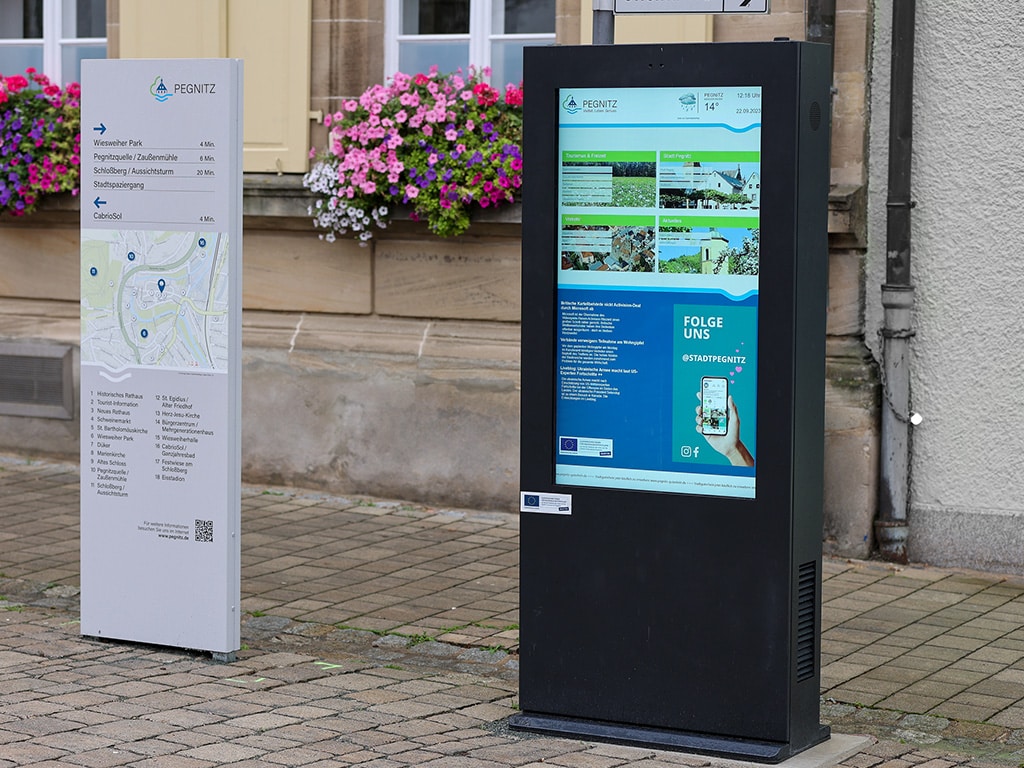
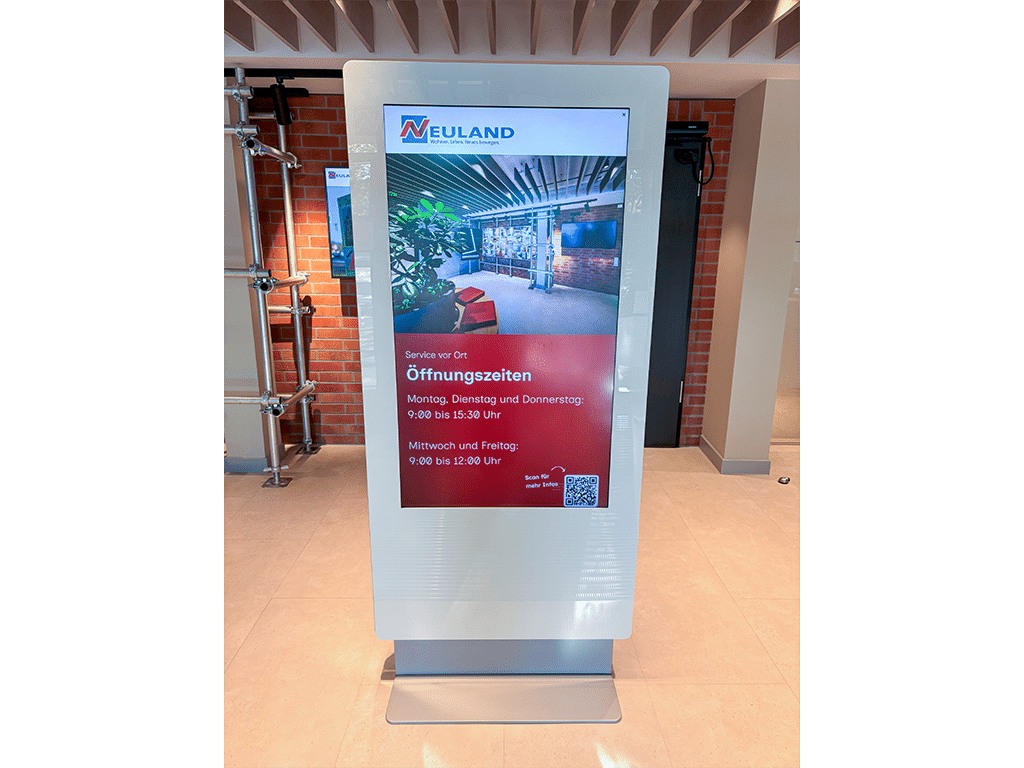
The information kiosk at the entrance, with its portrait-oriented touchscreen, is the central starting point in the customer centre. Using a decision tree that matches the enquiry with the appropriate point of contact, visitors are guided in just a few steps to the self-service area, the service desk, the postbox or their own smartphone. Outside opening hours, the kiosk automatically displays the current opening hours.

With the move to the modern new building on Pariser Platz in Stuttgart, the presentation and seminar technology is also to be modernized in a forward-looking way.

Digital queue

Instead of taking a number or phoning, visitors can register via a QR code or directly at the information point to join a digital queue. The service desk can view the waiting list in real time and call visitors forward as and when required – without the need for any additional hardware.

With the move to the modern new building on Pariser Platz in Stuttgart, the presentation and seminar technology is also to be modernized in a forward-looking way.

Self-help made easy

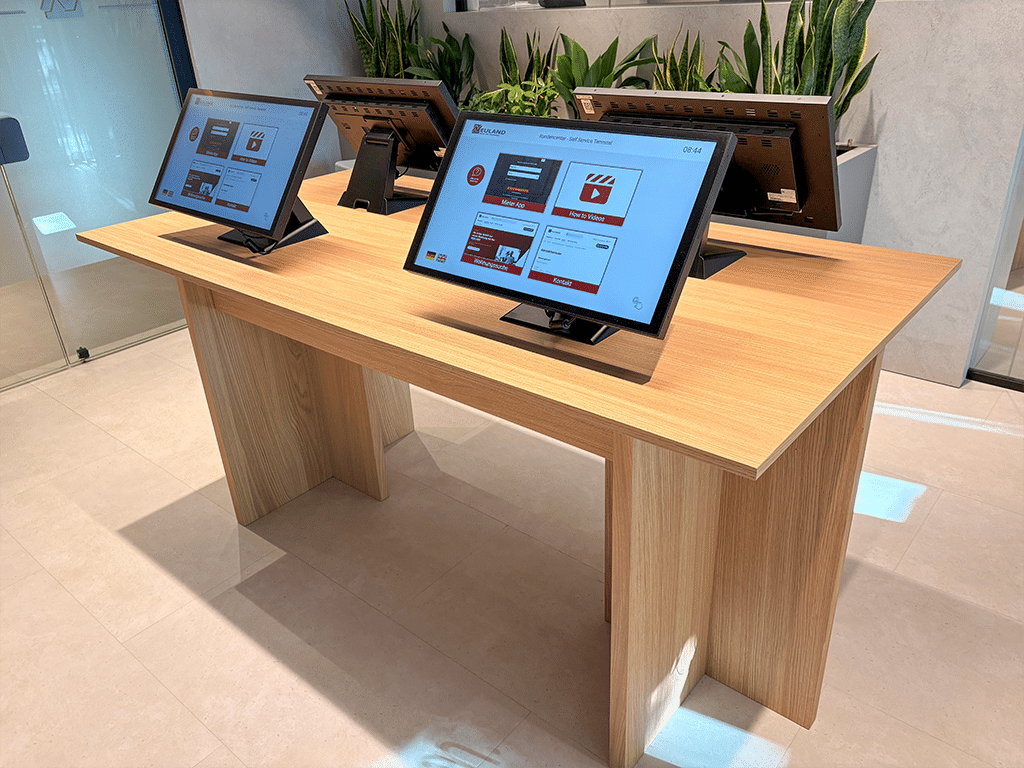
Four interactive terminals in the self-service area bring together the tenant app, property search, contact form and explanatory videos in one place. Anyone who gets stuck can use the help button to contact the service desk directly – entirely without cookies, for data protection reasons.

With the move to the modern new building on Pariser Platz in Stuttgart, the presentation and seminar technology is also to be modernized in a forward-looking way.

Always up-to-date information

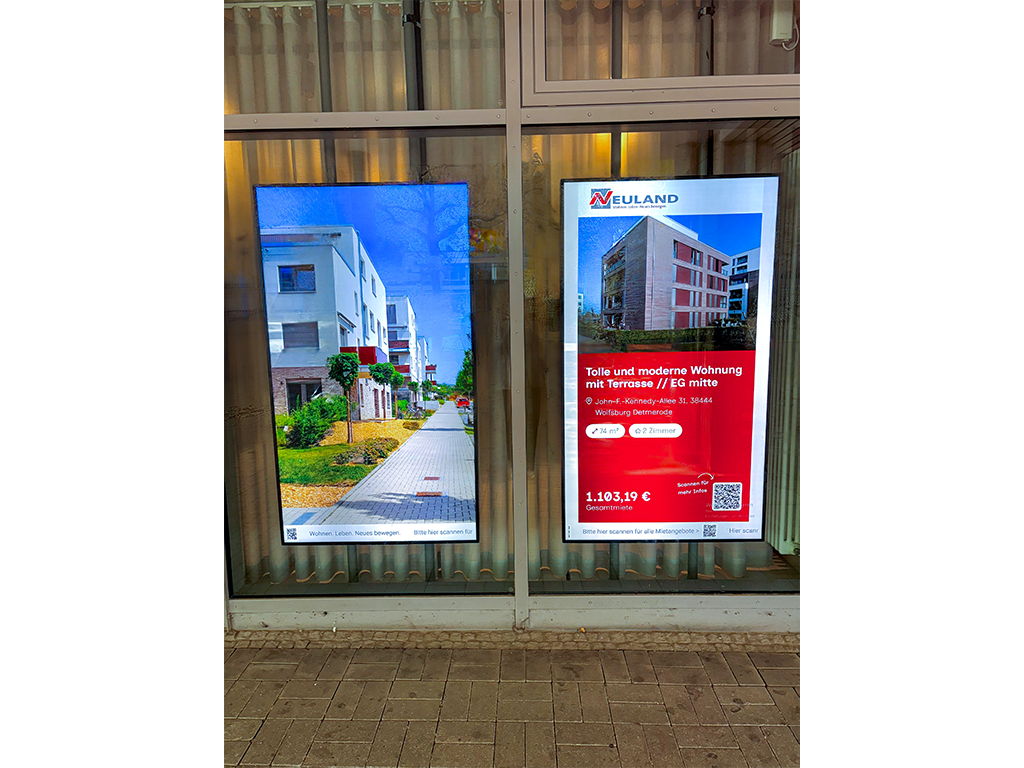
Project information, property descriptions and property listings sourced directly from the Neuland website are automatically displayed in the shop window. This eliminates the need for duplicate data management, and passers-by can view up-to-date content at any time, even outside opening hours.

With the move to the modern new building on Pariser Platz in Stuttgart, the presentation and seminar technology is also to be modernized in a forward-looking way.

“Our collaboration with smartPerform has been thoroughly positive: reliable, professional and based on partnership. We particularly appreciate the high quality of service, the prompt support and the trusting working relationship.”

Sina Burböck, Head of Department

Solutions

Versatile. Proven across a range of industries.

From production to receptions – smartPerform software adapts to your requirements.
Take the next Step
Beratung von smartPerform für Sie

Consulting

Our team will advise you on the use and possibilities, determine your budget requirements or coordinate the next steps with you on your way to your smartPerform application.

This is how you can reach us:
Sales: +49 (0) 7127 20973-00
sales@smartperform.de
Contact

Testversion von smartPerform Software

Demo Version

Design and content management with the smartPerform "Designer Edition Advanced".

Start with a sample application suitable for your solution or area of application. The complete application with neutral media content can be individually adapted and expanded and serves as a presentation and template. Request demo version View sample applications

[object Object]

Academy

Our personal training courses provide know-how on the creation and handling of smartPerform user interfaces and their functions.

Webinars provide initial insights into the basics and applications of our smartPerform products.

With the online trainer, you can reach your learning goal quickly - regardless of time, location and device. The learning platform contains all the tools you need for efficient self-study.
Overview

[object Object]

Documents

Logo files, product and application flyers, quick start guides and our digital manual - you can find them all here.
Documents

Our project process

With our structured and proven project process, we guide you from the initial idea to the successful commissioning of your smartPerform solution – professionally, transparently, and efficiently.

Schritt 1

Requirements and Proposal

Based on your individual needs we provide a tailor-made proposal

Schritt 2

Workshop

Together, we define and document content, functions, interfaces, and the schedule.

Schritt 3

Implementation

We bring your ideas to life in a smartPerform interface.

Schritt 4

Test & Launch

We test your smartPerform solution and prepare it for launch.

Schritt 5

Handover

At the end, we provide training and hand over the finished solution to your team.

Take the next Step

Beratung von smartPerform für Sie

Consulting

Our team will advise you on the use and possibilities, determine your budget requirements or coordinate the next steps with you on your way to your smartPerform application.

This is how you can reach us:
Sales: +49 (0) 7127 20973-00
sales@smartperform.de
Contact

Testversion von smartPerform Software

Demo Version

Design and content management with the smartPerform "Designer Edition Advanced".

Start with a sample application suitable for your solution or area of application. The complete application with neutral media content can be individually adapted and expanded and serves as a presentation and template. Request demo version View sample applications

[object Object]

Academy

Our personal training courses provide know-how on the creation and handling of smartPerform user interfaces and their functions.

Webinars provide initial insights into the basics and applications of our smartPerform products.

With the online trainer, you can reach your learning goal quickly - regardless of time, location and device. The learning platform contains all the tools you need for efficient self-study.
Overview

[object Object]

Documents

Logo files, product and application flyers, quick start guides and our digital manual - you can find them all here.
Documents