• Your cart is empty.

City of Hattersheim am Main

Digital service right at the cemetery entrance

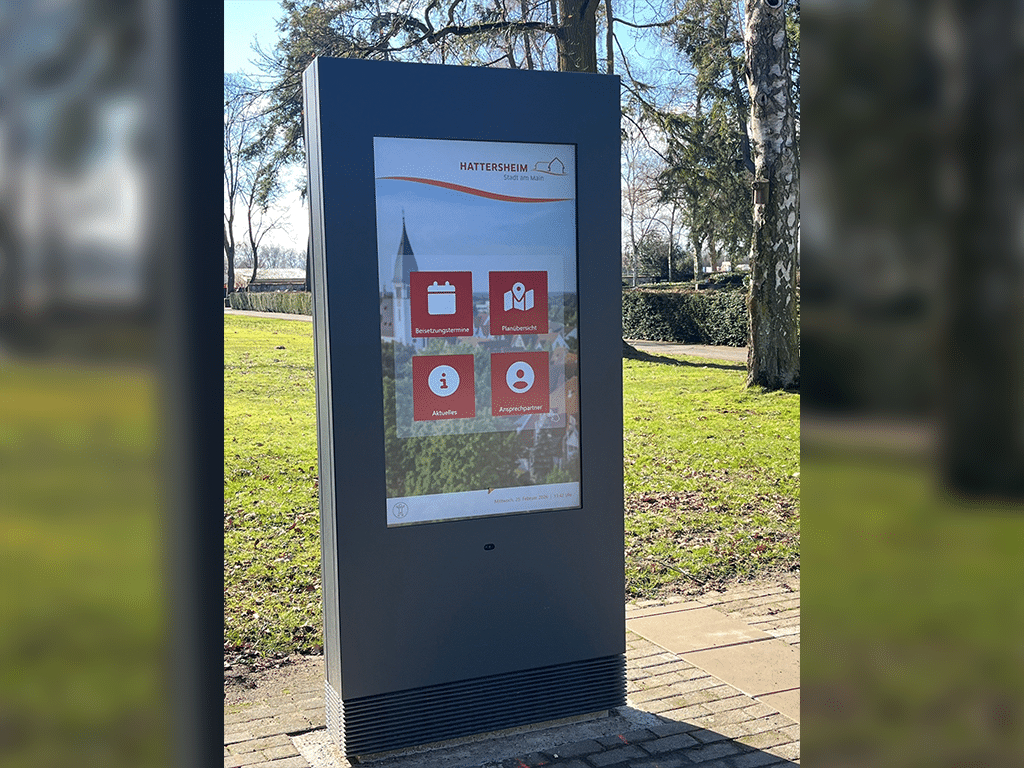
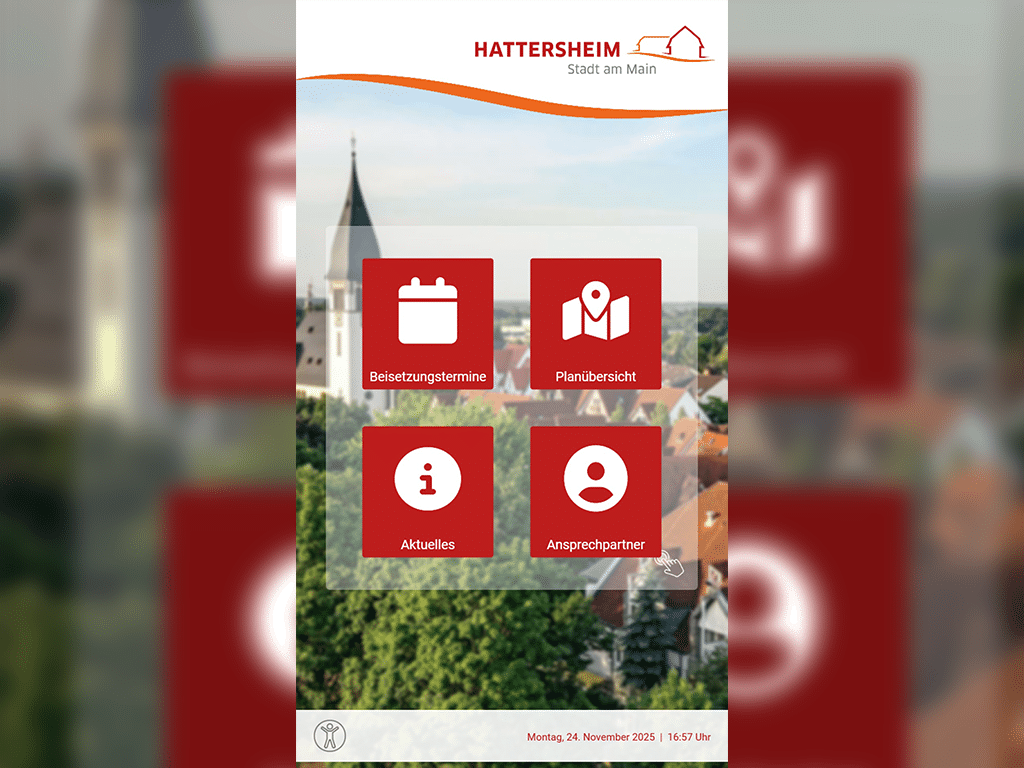
The city of Hattersheim am Main is modernizing its cemeteries with on-site digital information kiosks. The smartPerform software consolidates up-to-date schedules, maps, and important notices into an intuitive interface. It provides barrier-free support for visitors and reduces the administrative burden through automated data synchronization.
With the move to the modern new building on Pariser Platz in Stuttgart, the presentation and seminar technology is also to be modernized in a forward-looking way.

Calendar Synchronization & Time Display

To ensure that visitors and family members are always up to date, the display shows the upcoming funeral dates for the next ten days. The data is synchronized automatically from the existing Exchange calendar. With the addition of the current date and time, the system remains up to date without the need to maintain the information in duplicate.

With the move to the modern new building on Pariser Platz in Stuttgart, the presentation and seminar technology is also to be modernized in a forward-looking way.

Navigation & Hazard Alerts

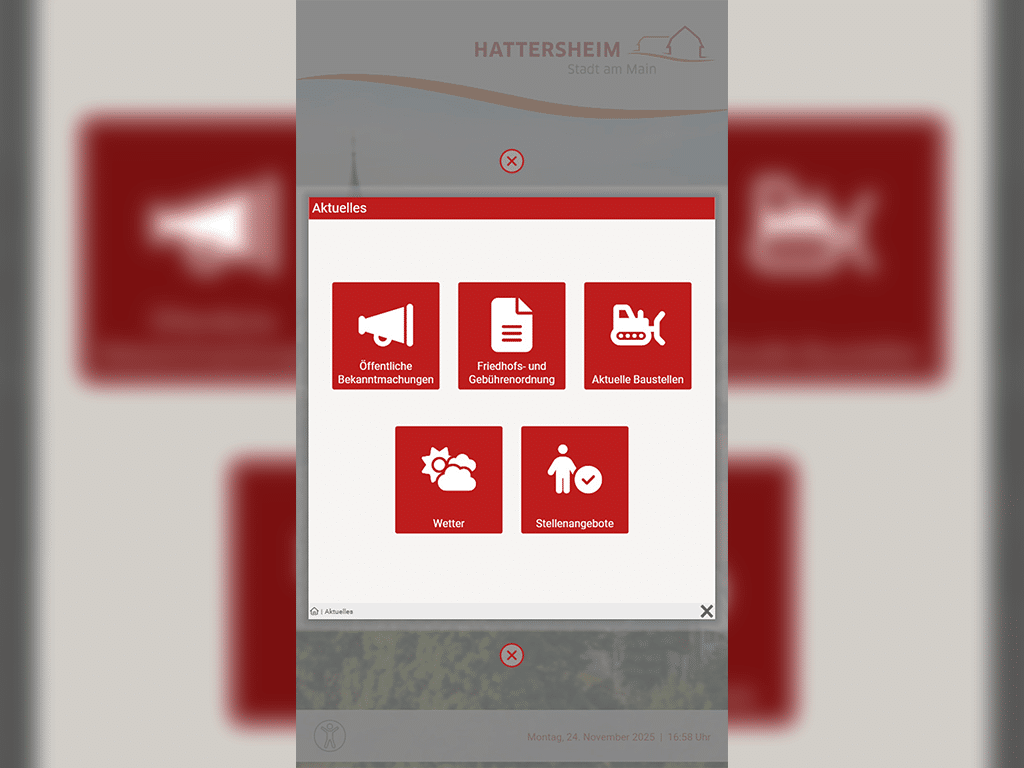
The cemetery is a place of peace, but also of organization. Using interactive maps, visitors can quickly find their way around by viewing the layouts of all cemeteries in the various districts. An integrated live ticker for breaking news also provides immediate alerts in the event of urgent hazards, such as storm warnings. This is supplemented by up-to-date information on construction sites or weather conditions, which are directly integrated as web modules.

With the move to the modern new building on Pariser Platz in Stuttgart, the presentation and seminar technology is also to be modernized in a forward-looking way.

Document Access & Website Link

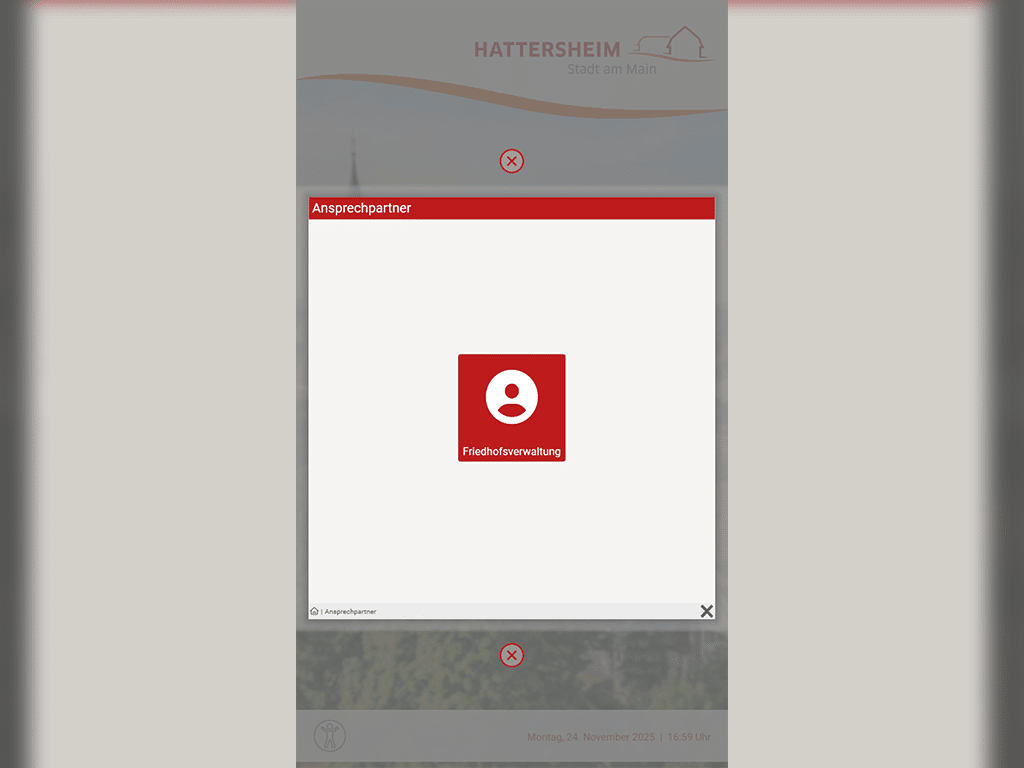
In addition to its basic functions, the kiosk provides a wealth of additional information: from cemetery regulations and fee schedules to job descriptions, all important documents are available digitally. For further inquiries, users can also access the official website of the City of Hattersheim am Main directly. The kiosk also lists the key contacts at the cemetery administration, ensuring that users are immediately connected with the right person if they have questions.

With the move to the modern new building on Pariser Platz in Stuttgart, the presentation and seminar technology is also to be modernized in a forward-looking way.

Contrast Display & Accessibility

The kiosk is designed to be easy for anyone to use, thanks to its optimized readability and high-contrast display. Special features for accessible use ensure that people with disabilities can also access all content without difficulty. With its innovative design, the kiosk also enhances the cemeteries’ public image and underscores the City of Hattersheim’s commitment to modern service.

Take the next Step

Beratung von smartPerform für Sie

Consulting

Our team will advise you on the use and possibilities, determine your budget requirements or coordinate the next steps with you on your way to your smartPerform application.

This is how you can reach us:
Sales: +49 (0) 7127 20973-00
sales@smartperform.de
Contact

Testversion von smartPerform Software

Demo Version

Design and content management with the smartPerform "Designer Edition Advanced".

Start with a sample application suitable for your solution or area of application. The complete application with neutral media content can be individually adapted and expanded and serves as a presentation and template. Request demo version View sample applications

[object Object]

Academy

Our personal training courses provide know-how on the creation and handling of smartPerform user interfaces and their functions.

Webinars provide initial insights into the basics and applications of our smartPerform products.

With the online trainer, you can reach your learning goal quickly - regardless of time, location and device. The learning platform contains all the tools you need for efficient self-study.
Overview

[object Object]

Documents

Logo files, product and application flyers, quick start guides and our digital manual - you can find them all here.
Documents

Our project process

With our structured and proven project process, we guide you from the initial idea to the successful commissioning of your smartPerform solution – professionally, transparently, and efficiently.

Schritt 1

Requirements and Proposal

Based on your individual needs we provide a tailor-made proposal

Schritt 2

Workshop

Together, we define and document content, functions, interfaces, and the schedule.

Schritt 3

Implementation

We bring your ideas to life in a smartPerform interface.

Schritt 4

Test & Launch

We test your smartPerform solution and prepare it for launch.

Schritt 5

Handover

At the end, we provide training and hand over the finished solution to your team.

Take the next Step

Beratung von smartPerform für Sie

Consulting

Our team will advise you on the use and possibilities, determine your budget requirements or coordinate the next steps with you on your way to your smartPerform application.

This is how you can reach us:
Sales: +49 (0) 7127 20973-00
sales@smartperform.de
Contact

Testversion von smartPerform Software

Demo Version

Design and content management with the smartPerform "Designer Edition Advanced".

Start with a sample application suitable for your solution or area of application. The complete application with neutral media content can be individually adapted and expanded and serves as a presentation and template. Request demo version View sample applications

[object Object]

Academy

Our personal training courses provide know-how on the creation and handling of smartPerform user interfaces and their functions.

Webinars provide initial insights into the basics and applications of our smartPerform products.

With the online trainer, you can reach your learning goal quickly - regardless of time, location and device. The learning platform contains all the tools you need for efficient self-study.
Overview

[object Object]

Documents

Logo files, product and application flyers, quick start guides and our digital manual - you can find them all here.
Documents